Transparent Wallpaper
FirehawkPersonalization
4.52.09K Reviews
- Version
- 2.2.2
- Installs
- 10.00M
- Age Rating
- Everyone
Screenshots
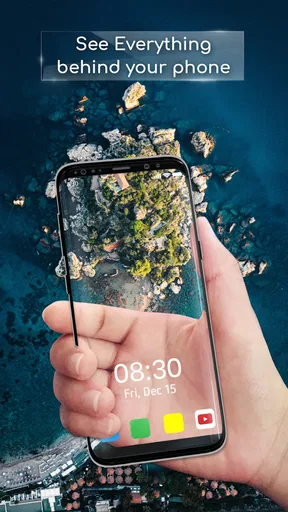
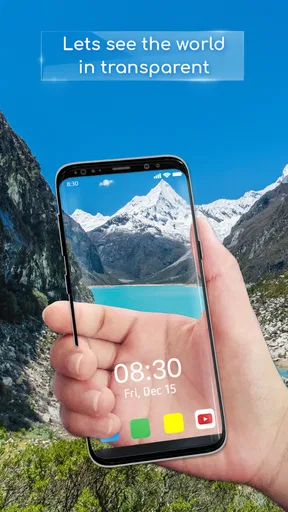
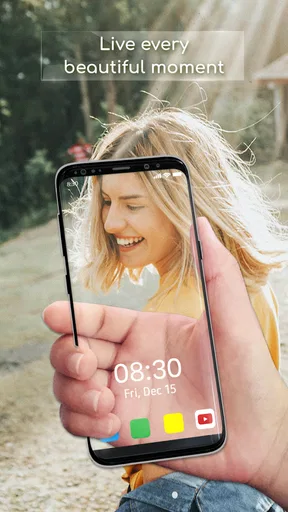
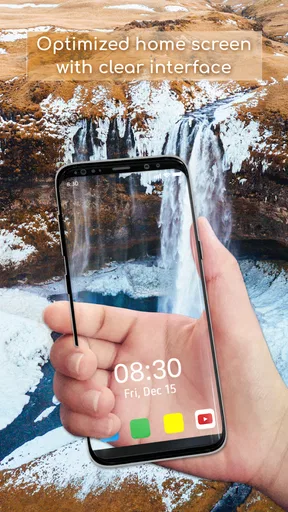
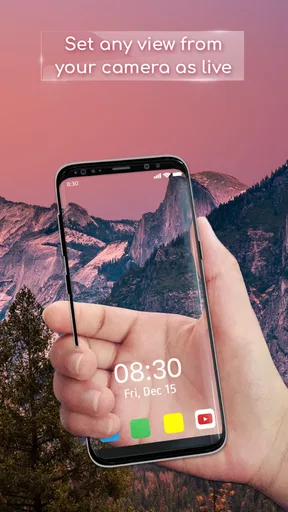
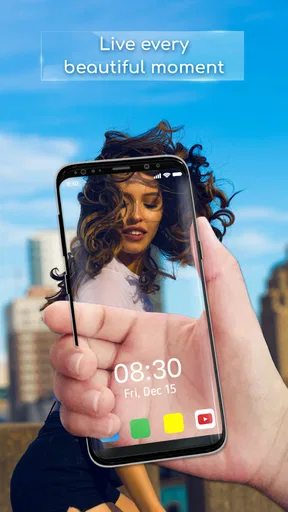
Our Review of Transparent Wallpaper
 Analysis by Appyee
I first tried Transparent Wallpaper because I wanted a phone home screen that felt different without spending an afternoon rebuilding it with custom icons and widgets. The idea is simple: use a live view from the camera as the backdrop behind your screen. That makes for an unusual look, but it also means the app suits a particular kind of user. I’d recommend it to someone who enjoys visual experiments and doesn’t mind trading some screen calm for novelty; if you want a polished, still background that never competes with text, a conventional wallpaper is probably the better fit.
What to expect from the effect
So, let’s get into it. Transparent Wallpaper does exactly what it says on the tin—it makes your wallpaper transparent. But what does that mean for you? Essentially, you can see your actual environment as the backdrop of your phone screen. It's almost like having your phone as a window to the world around you. Cool, right?
The effect is most appealing when you want your home screen to feel playful or surprising, rather than carefully coordinated. Icons and widgets remain the familiar parts of the screen; the live surroundings change what appears behind them. That difference matters: this is not a full redesign of your interface, and it won’t make a cluttered layout feel organized. I’d treat it as a visual layer to try, not as a replacement for decisions about which shortcuts and widgets you actually use.
Transparent Wallpaper is a free personalization app from Firehawk. It has a 4.6 average from around 339,000 ratings, and it has been installed over 10 million times. The audience is broad: its content rating is Everyone, and it runs on Android 5.0 or later. The current version is 2.2.2. Those details make it easy to see why it attracts curious users, but the practical question is whether a live camera view fits your daily routine.
Getting started without guesswork
Installing the app was a breeze; just a quick download from the app store, and I was good to go. The interface is super user-friendly, so even if you’re not the most tech-savvy person, you’ll find it really straightforward. Once you open the app, it accesses your camera automatically, using it to create the transparent effect.
For a first run, I’d choose a place with steady light and a background that isn’t visually busy. Then open the app and follow its on-screen setup to reach the wallpaper effect. That gives you a more useful first impression than testing it in a dim room or pointing the camera at a jumble of objects. When it appears, pause before deciding whether you like it: moving the phone changes the view, so the effect can feel different from one moment to the next.
A practical detail to keep in mind is that a camera-based background makes the surroundings part of your screen. If you’re in a private place, at work, or somewhere where you’d rather not have a live view behind your apps, switch back to a regular wallpaper. I wouldn’t assume the effect is appropriate in every setting just because it looks entertaining at home. For a first test, use it when you’re comfortable with what the camera is viewing and can check the result without rushing.
Making the first screen feel right
The first thing I noticed was how lightweight the app is. It doesn’t hog your phone’s resources, which is a big plus for those of us who are constantly battling low battery life. Another thing? You can customize the transparency level. So, if you want a slight glimpse of the world or a full-on transparent screen, you’ve got options.
My advice is to begin with a subtle setting rather than immediately choosing the strongest effect. App names, icons, and widgets need to remain easy to pick out; a visually dramatic background can make a home screen harder to scan, especially if the scene behind it has lots of contrast. Adjust the level while looking at the screen you actually use, not just the app’s setup view. The useful result is the one that still lets you find your everyday apps quickly.
There’s also a neat feature that lets you take a snapshot of your current screen. This is great for those moments when you want to capture a cool scene as your wallpaper without it being live. It’s like having the best of both worlds—a dynamic and static wallpaper.
That snapshot option is worth trying when you find a view you like but don’t want it shifting as you move. It gives you a way to keep a particular moment as a still image, which can be more comfortable for reading or showing someone your layout. I’d think of live and snapshot use as two different moods: live is the novelty, while a captured view is the calmer choice when you want the look without a constantly changing backdrop.
Where it fits into an ordinary day
Now, using it daily was quite the experience. At first, it was a bit odd seeing my hand behind my apps, but I quickly got used to it. It’s a great conversation starter, and my friends were pretty impressed when they saw it. Plus, there’s something oddly satisfying about seeing your surroundings seamlessly blend with your phone’s interface.
A realistic way to try it is during a quiet morning at home: set the effect while standing near a bright window, then use the phone for simple tasks such as checking the time or opening a familiar app. If the background distracts you, lower the transparency or switch to a snapshot. This small test tells you more than a quick novelty demo because it shows whether you enjoy the effect while doing normal things, not only while showing it off.
It can also make sense for someone who likes changing the feel of a phone often but doesn’t want to reorganize every icon. A live view can make the same home screen feel new with very little layout work. On the other hand, if you rely on widgets with small text, keep a clean, readable setup, or spend long stretches reading from the screen, a plain wallpaper gives you a more predictable background. The app’s main strength is its unusual visual treatment, not a productivity upgrade.
What can feel confusing, and when to switch back
However, I did notice that in low-light situations, the effect isn’t as striking. But honestly, that’s a minor gripe compared to the novelty and uniqueness it brings to my phone.
Lighting is only part of the trade-off. The scene behind your icons can change as you move, so the same layout may look clear in one spot and busy in another. If the screen seems harder to read, try a less intense transparency level or choose the snapshot instead of assuming you need to rearrange everything. I’d also switch to a static wallpaper when I want a dependable look in changing surroundings; the live effect is not equally useful everywhere.
People often wonder whether this is the same as choosing a photograph from a wallpaper collection. It isn’t quite the same experience: a regular image is composed and stays still, while this app’s appeal comes from seeing the surroundings behind the interface. That is also why it won’t suit everyone. If you want artwork, landscape photography, or a carefully matched color palette, a standard wallpaper app offers a more deliberate result. If you want your real environment to be part of the screen, this is the more distinctive option.
Another sensible question is whether it will be the best choice for every phone session. I wouldn’t count on that. A live camera-based effect depends on the environment and the display context, so it is better treated as an optional look than as something you must leave on all day. If battery life is a priority, pay attention to your own experience during ordinary use rather than relying on a general claim about how light an app feels. Switching back to a still background is an easy way to favor simplicity when the effect no longer adds value.
Who I’d recommend it to
If you’re looking to spice up your phone’s look without spending hours customizing widgets and icons, this app is perfect. It’s quick, easy, and adds a touch of personal flair to your device. Plus, it doesn’t interfere with how you use your phone, which is a massive win in my book.
I’d especially suggest it to first-time users who want a quick visual change and are happy to experiment with the camera view and transparency level. The best first success is simple: get the effect working in good light, check that your home-screen labels remain legible, and save a snapshot if you prefer a stable version. If it doesn’t look right at first, adjust the intensity before giving up; the scene and the setting both affect how convincing the result feels.
I’d skip it if you want a static image, if moving backgrounds distract you, or if you’re uncomfortable using a camera-based view as your screen backdrop. It’s also not the right tool for someone hoping to add new widgets, alter the phone’s icon design, or build a more efficient home-screen layout. Those are different goals, and a launcher or ordinary wallpaper is likely to be more useful for them. Transparent Wallpaper is at its best when the goal is simply to make the familiar screen feel unexpectedly different.
The app is free to download, with in-app purchases ranging from $0.99 to $99.99 per item. I’d start with the free experience and decide whether the effect is something I genuinely want to keep using before spending anything. Its broad Everyone content rating makes it suitable for a general audience, but the right choice still depends on personal comfort with a camera-driven background and on whether the visual trade-off works for your routine.
Transparent Wallpaper is definitely one of those apps you didn’t know you needed until you tried it. Whether you’re a tech enthusiast or just someone who loves trying out new things, it’s worth giving this app a shot. Trust me, you’ll be hooked!
My more measured recommendation is to give it a short, practical trial rather than expecting it to become your permanent setup. Try it in good light, tune the transparency for readability, and keep the snapshot option in mind for a steadier look. If you enjoy seeing your surroundings behind your apps, the novelty can be genuinely fun; if you find yourself squinting or wanting a calmer screen, switching back is the sensible call. That balance is what makes this a worthwhile personalization experiment instead of a must-have for every phone.
Verdict
Strengths of Transparent Wallpaper
- Customizes home screen with live view.
- Consumes minimal battery power.
- User-friendly interface design.
- Supports multiple wallpaper layers.
- Works smoothly on older devices.
Limitations of Transparent Wallpaper
- Limited wallpaper customization options.
- Does not support video wallpapers.
- Might cause app conflicts occasionally.
- Ads can be intrusive at times.
- No offline functionality available.
Other Releases by Firehawk
View All
Piano: Learn & Play Songs
Music & Audio4.8

Battery Charging Animation
Personalization4.6

Video Voice Editor + Effects
Music & Audio4.5

GPS Coordinates Locator Map
Maps & Navigation4.7
Similar Picks in This Category
View All
Microsoft SwiftKey AI Keyboard
SwiftKey4.3

Wallpapers
Google LLC4.1

Zedge™ Wallpapers & Ringtones
Zedge4.7

Yandex Browser with Alice AI
Direct Cursus Computer Systems Trading LLC4.3

Ringtone Maker:create ringtone
Big Bang Inc.4.7

Fonts Keyboard
Fonts Keyboard3.9
Frequently Asked Questions
What is Transparent Wallpaper and how does it work?
Transparent Wallpaper is an innovative app that allows users to set live wallpapers that mirror the phone's camera view, creating a see-through effect. It operates by using the device's rear camera to capture real-time video, then displays it as the wallpaper, giving the illusion of a transparent screen.
Does Transparent Wallpaper affect battery life significantly?
Yes, since Transparent Wallpaper continuously uses the camera to capture live video, it can drain the battery faster than static wallpapers. To minimize impact, consider using power-saving modes or limiting usage to when you need the transparent effect, especially if you have an older device with less battery capacity.
Is Transparent Wallpaper safe for my device?
The app is generally safe to use if downloaded from a reputable source such as Google Play Store or Apple App Store. It does require camera permissions, so ensure you're comfortable with this level of access. Always check app reviews and permissions to avoid potential security risks.
Can I customize the transparency effect on Transparent Wallpaper?
While the app primarily uses the camera feed for the transparency effect, some versions may offer customization options such as adjusting the brightness, overlay patterns, or adding widgets. Check the app settings for available customization features to enhance your experience.
Will Transparent Wallpaper work on all devices?
Transparent Wallpaper requires a functional camera and adequate processing power, so it may not perform optimally on older or low-end devices. Ensure your device meets the minimum system requirements before downloading. Compatibility can vary, so refer to the app's description for specific device support.
